Chop Chop Inc Demo
Free on Steam — learn the loop before or alongside the full $12.99 release.
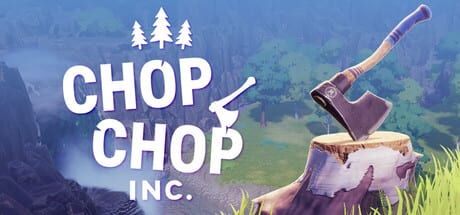
NullRef Entertainment and rokaplay select ship a free Chop Chop Inc demo on Steam alongside the full game, which released August 7, 2026 at $12.99 / €12.99. The trial lets you chop trees, process logs, craft introductory furniture, and sample city contracts without paying. This page explains how to install the demo, what content is included, how to give feedback, and how trial progress relates to the full Windows PC build.
How to get the demo
- Open the Chop Chop Inc Steam store page.
- Scroll to the Download Demo section (available while the trial is live).
- Click Download or Play Demo — Steam installs it as a separate depot linked to the same app ID.
- Launch from your library under Chop Chop Inc demo entry or the store page play button.
- Verify System Requirements first: Windows 10/11 64-bit, DirectX 12, SSD, and at least GTX 1070 Ti or RX 5600 XT class GPU.
No separate account or key is required beyond a Steam login. The demo is single-player only, matching the full release mode.
What to expect in the demo
The demo teaches the core Furnox Corp revenge fantasy in miniature: first-person chopping, log processing, workbench crafting, and selling to the city economy. You meet humorous NPCs, see blueprint-driven furniture, and experience stamina and cooking hooks that persist in the full game. Expect comedic tone throughout — corporate satire is part of the pitch, not optional flavor text.
Included roughly:
- Tutorial and early forest zone
- Basic saws, workbenches, and shipping steps
- Introductory city contracts
- Sample of common timber recipes
Gated in the demo (available in full game):
- Deep automation chains and large conveyor layouts
- Full rare tree biomes (stone, metal, electric) beyond teases
- Complete furniture set catalog and late showroom systems
- Entire open-world map and all NPC story beats
Treat missing features as preview gaps, not absent full-game promises — check Review for how well the trial represents overall depth.
Controls and first session tips
Read Controls before your first axe swing if you remap keys. Default mouse-and-keyboard bindings suit precise bench interactions. On first launch, follow the in-game interactive tutorial, then apply the Production Checklist so you chop, process, craft, and sell in order instead of hoarding logs.
For objective-by-objective routing, use Demo Walkthrough and the Early-game walkthrough once those pages match your demo build version.
Languages
Steam supports multiple languages including English and German, plus French, Spanish, Portuguese (Brazil), Chinese, and Russian. This wiki covers English and German. Set Steam client language or in-game options as available. Subtitles help during NPC banter in any supported language.
Feedback and bug reports
NullRef Entertainment requests demo feedback through in-game forms and their Discord community (link on the Steam store page). Report bugs, weird interactions, and pacing opinions — the studio uses player reports to polish post-launch patches.
Constructive feedback beats vague praise: mention machine jams, contract clarity, or performance dips with your GPU model. That helps more than wishlist counts alone.
Demo versus full game — saves and progress
Save transfer from demo to full release is not guaranteed until officially confirmed on Steam. Some Unity titles wipe demo saves; others carry forward once. Read the store page FAQ before investing dozens of hours. If carryover is unsupported, treat the demo as a skill tutorial, not a head start.
Performance in the trial
Demo zones are lighter than maxed full-game factories, but SSD and DirectX 12 requirements still apply. If FPS drops, follow tuning steps on System Requirements before assuming the full game will run worse — late automation is the untested stress test.
After the demo — next steps
| Goal | Page |
|---|---|
| Decide on purchase | Review |
| Full game details | Release date |
| Launch trailer | Steam Launch |
| Deep mechanics | Guides hub |
| Crafting reference | Crafting |
| Buy on Steam | Steam store page |
Demo availability
The demo remains available on Steam after the August 7, 2026 release. NullRef marketed the trial for feedback and it still serves as a free onboarding path. Watch Updates if depot status ever changes.
FAQ for streamers and creators
Steam demo access follows standard Streamer-friendly rules unless otherwise noted. Capture early factory layouts and humorous NPC dialogue — both align with official marketing tone. Credit NullRef Entertainment and rokaplay select; avoid spoiling unreleased zones not present in your build.
Frequently Asked Questions
Quick answers to the most common Chop Chop Inc questions.
Is the Chop Chop Inc demo free?
Yes. Download it from the Steam store page without buying the full game. Regional availability follows normal Steam rules.
How big is the demo download?
Near the full game's 5 GB footprint on SSD. Exact depot size may differ slightly — ensure free space for patches.
Can I play the demo offline?
Steam offline mode usually works after initial authentication. First launch typically requires an online check.
Does the demo include automation?
Introductory machine use appears, but deep conveyor automation may be limited compared to the full release. See How to Automate for systems gated in trial builds.